Products
-
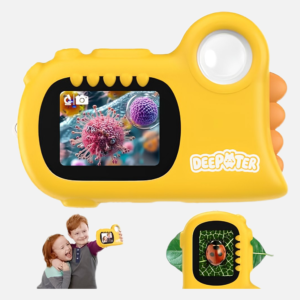
 2 in 1 Microscope for Kids & Video Camera, Deepoter 1000X Digital Microscope with 2.0" Screen
$26.19
2 in 1 Microscope for Kids & Video Camera, Deepoter 1000X Digital Microscope with 2.0" Screen
$26.19 -
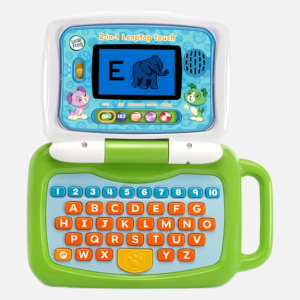
LeapFrog 2-in-1 LeapTop Touch
Original price was: $29.99.$24.90Current price is: $24.90.
-
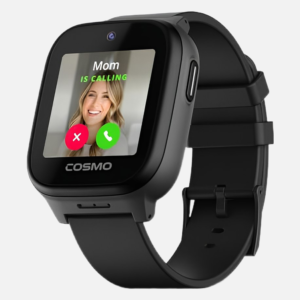
JrTrack 5 Kids Smart Watch by Cosmo
$99.99
-
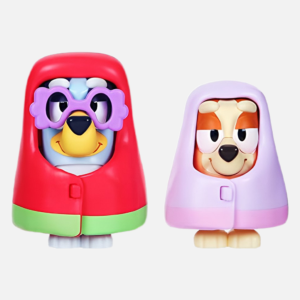
Bluey - Grannies Bingo 2.5" Figures - 2 Pack, Multicolor
$34.95
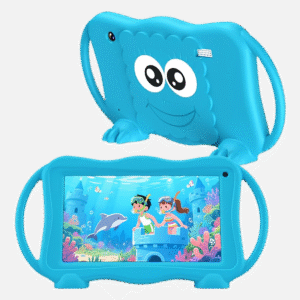
Trayoo Kids Tablet 7 Inch Tablets 32GB Toddler Tablet with Dual Camera
$39.99
【New Full-Featured Kids Tablet】Equipped with a high-speed Android quad-core processor, this baby tablet ensures smooth app performance and fast page loading. With 2GB RAM and 32GB ROM (expandable up to 1TB via Micro SD), your child can store more photos, videos and educational content. The tablet for kids 3-12 features a long-lasting 8-hour battery to keep young minds entertained during road trips, flights or at home
【Smart Parental Controls】The toddler tablet puts you in complete control of your child’s digital experience. With its easy-to-use parental controls, you can effortlessly set daily time limits, block inappropriate apps and websites—all through a simple parental dashboard. The default password (0000) allows for quick setup, giving you peace of mind while your child explores safely and learns responsibly
【Rich Content Bundle】Out of the box, this 7 inch tablet comes with the YuBaBe app, offering offline access to various creative content such as brain games, creative drawing, educational videos, and more. kids can gain more knowledge when playing. Plus, download popular apps like Netflix, Disney+, Khan Academy, ABCmouse, and YouTube Kids from the Google Play Store
【Specially Designed for Your Kids】 This childrens tablet features a vibrant 7-inch IPS HD display (1024×600 resolution) that delivers crisp visuals for reading, videos, and games. The kids learning tablet’s auto-brightness adjustment helps reduce eye strain, while its included kid-friendly case provides extra protection against drops and bumps. Parent Tip: The electronics tablets works best when children maintain proper viewing distance for a more comfortable experience
【Worry-Free Warranty Service】Enjoy 30 days of free returns or replacements and lifetime technical support. If you have any questions about this tablet for toddlers, our dedicated customer service team is here to help. Give your child a safe, fun, and educational tablet designed just for themKids Tablet,Android 15 Tablet with HD Display,10.1 inch,Parental Control & Kids Mode, Octa-Core, GMS Certified
Original price was: $129.99.$75.99Current price is: $75.99.
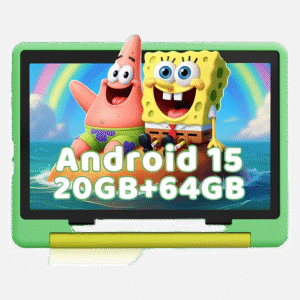
The Latest Android 15 Systerm&Octa-core Processor:Powered by a 2.0GHz Octa-core processor (40% faster than basic tablets) and the latest Android 15 OS, this kids tablet delivers smoother Zoom classes and lag-free gaming. And the 20GB RAM handles multiple educational apps simultaneously, while enhanced security blocks unwanted ads.
Robust Parental Control & Dedicated Kids Mode:Take charge with one-touch parental controls on this tablet for kids 6-12: Set screen time limits, block apps, and filter content remotely from your phone. Our dedicated Kids Mode creates a safe zone with pre-approved learning apps like ABC mouse – no accidental access to adult content. It’s the perfect kids tablet with parental control for children 6-12!
Eye-Friendly 10.1″ HD Screen & Dual Cameras:Our 10 inch tablet features an HD IPS display (1280×800) with low blue light technology to protect young eyes during extended learning. Dual 5MP+8MP cameras capture crisp science project photos and enable clear video calls with grandparents. Full Google Play access unlocks thousands of educational apps, making it one of the most versatile tablets for kids.
Massive 64GB Storage & 1TB Expandable:64GB built-in storage holds 100+ apps and videos, while the TF card slot (supports up to 1TB/not included) lets you expand for endless content. Never delete cherished art projects again – perfect for storing school materials and family photos!
All-Day Battery & Free Shockproof Case:From sunrise cartoons to bedtime stories, this kids tablets with long battery life(5000mAh battery)provides up to 6 hours of use for reading, watching videos, surfing the internet, and gaming. And since kids will be kids, we include a free military-grade case—making this a durable tablet with case protection against drops, spills, and chaos. No more worrying about cracked screens! Plus, USB-C fast charging (0-100% in 1.5 hours) brings your kids tablet back to life faster than a toddler’s tantrum ends.UEMXDOX Kids Tablet, 2025 Android 15 Tablet for Kids Age 3+, 8GB+64GB, Expandable to 512GB
Original price was: $119.99.$67.99Current price is: $67.99.
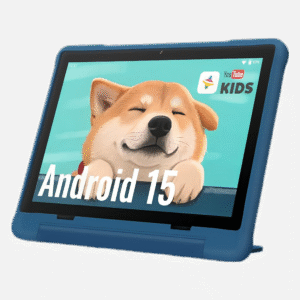
Google Kids Space & Pre-installed Educational Games – Spark Curiosity & Fun! Introduce your child (ages 3+) to a world of learning and play with Google Kids Space. Explore a variety of pre-installed, curated apps and games focused on creativity and safety education. Activities like animal coloring, storytelling, and puzzles are designed to encourage exploration and discovery.
Google Family Link for Parental Control – Manage Your Child’s Digital Experience. Utilize Google Family Link to help guide your child’s time with the tablet. Set screen time limits, monitor app usage, and manage content filters remotely. This tool assists in promoting a balanced and age-appropriate online environment.
Optimized Android 15 & Expandable Storage for Apps & Media. Benefit from the performance enhancements of Android 15. The tablet features 8GB RAM for responsive multitasking and 64GB of internal storage. Storage is expandable up to 512GB using a microSD card (sold separately), offering significant space for educational apps, games, videos, and music. (Actual formatted capacity less.)
Kid-Tough Design with Comfort & Convenience. Built with durable materials to help protect against everyday bumps and drops. The ergonomic shape is designed for comfortable handling by smaller hands. The included multi-angle stand case provides flexible viewing angles for activities like drawing, watching videos, or reading.
An Ideal Gift for Kids! The UEMXDOX Kids Tablet makes a thoughtful present for birthdays, holidays, or special occasions. Backed by our dedicated product support for a smoother user experience.
Note: Since this is a new device, all applications must be loaded when it is turned on for the first time. This may cause the device to heat up normally, run slowly, and increase power consumption until it shuts down. Please try to charge it for more than 30 minutes before turning it on. It is normal for the screen to freeze when loading for the first time. You can choose to wait or reset the device. For detailed operations, please refer to the manual.During use, avoid over-discharging the battery multiple times, which may cause the screen to shut down. When the battery level is low, select “Charge”.